
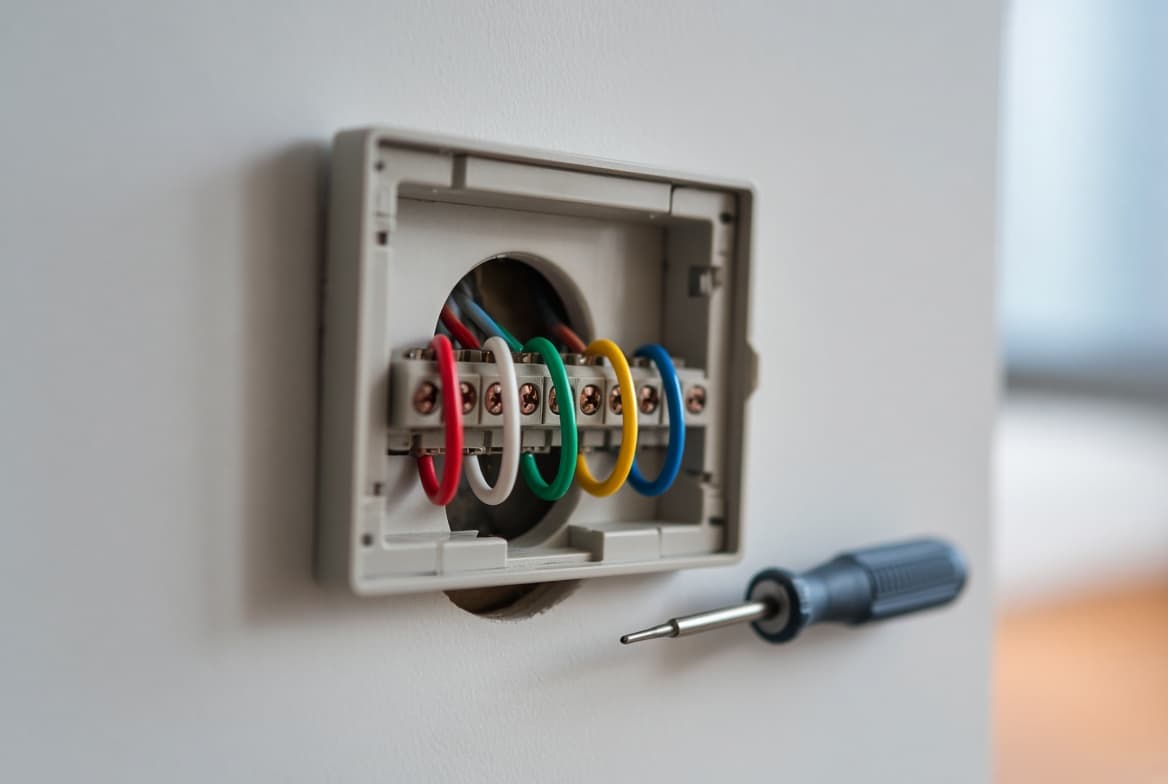
The thermostat C wire (common wire) completes the 24-volt circuit between your thermostat and the HVAC system's transformer, giving a smart thermostat constant power. It doesn't turn heating or cooling on or off. If you don't have one, you can often use a spare wire in the existing cable, install an adapter kit at the furnace, run new thermostat cable or, on some systems, repurpose the fan wire.
What Does a C Wire Do?
Your furnace or air handler has a small transformer that steps 120-volt household power down to about 24 volts AC. The R wire carries that 24 volts to the thermostat. When the thermostat calls for heat, cooling or fan, it connects R to W, Y or G, and the control board responds.
A basic thermostat only needs R and the call wires, because it runs on batteries. A Wi-Fi thermostat with a screen and radio needs a continuous supply, and that requires a return path back to the transformer. That return path is the C wire. Google's own support pages put it simply: the C wire only provides constant power to the thermostat.
Thermostat Terminal Reference
| Terminal | Typical color | What it does | C-wire relevance |
|---|---|---|---|
| R | Red | 24V power from the transformer | Pairs with C to power a smart thermostat |
| Rc / Rh | Red | Separate 24V feeds for cooling and heating on two-transformer systems | Some adapters don't work with dual transformers |
| C | Blue or black (not standardized) | Common return to the transformer | Provides continuous power |
| W / W1 | White | First-stage heat | Heat-only systems often have just R and W |
| W2 | Varies | Second-stage or backup heat | Uses a conductor that can't double as C |
| Y / Y1 | Yellow | First-stage cooling, or compressor on a heat pump | Combined with G by some adapters |
| Y2 | Varies | Second-stage cooling | Uses a conductor |
| G | Green | Blower fan | Can be repurposed as C, losing separate fan control |
| O/B | Orange (O), dark blue or brown (B) | Heat pump reversing valve | On some older thermostats "B" was the common, so check the board |
| AUX / E | Varies | Auxiliary or emergency heat | Heat pumps with backup heat use more conductors |
A full wire-by-wire explanation is in our thermostat wiring guide.
How to Tell If You Have a C Wire
- Turn off power at the breaker or the furnace service switch.
- Remove the thermostat from its wall plate. Look for a wire in the terminal labeled C. If one is there and connected, you likely have a working C wire.
- Look behind the plate. Older cables often have one or two extra conductors folded back into the wall, unused. A spare can become your C wire if it's also free at the furnace end.
- Check the control board. At the furnace or air handler, find the low-voltage terminal strip. If a wire from the thermostat cable is on the board's C terminal, it should go on the thermostat's C. If the thermostat-side wire isn't connected at either end, connect it to C at both.
- Confirm with a meter. With power back on, an AC voltmeter across R and C at the thermostat should read about 24 volts (commonly anywhere from the low to high 20s).
If the colors at the furnace don't match the colors at the thermostat, the cable has been spliced somewhere. Find the splice before connecting anything, because an adapter or spare wire has to be wired at that point.
Do You Need a C Wire? Model by Model
| Thermostat | C wire requirement (per manufacturer) |
|---|---|
| Basic battery thermostat | Not needed |
| Google Nest Learning Thermostat (4th gen) | Designed to work without one; C wire or Power Connector needed in limited cases (under 1%) |
| Google Nest Thermostat (2020) | Works without one on many systems; heating-only, cooling-only, zone-controlled and heat pump systems need C or the Power Connector |
| ecobee Premium and Enhanced | C wire or the included Power Extender Kit |
| ecobee Essential | C wire, or the Power Extender Kit bought separately |
| Honeywell Home (Resideo) Wi-Fi models | C wire required; wire saver adapter available |
| Sensi smart thermostat | Needed on heat pump, heat-only and cool-only systems |
| Sensi Touch and Touch 2 | Needed on all systems |
C Wire for Nest Thermostats
Nest thermostats can recharge their built-in battery by drawing small amounts of current through the heating or cooling wires when no C wire is present. Many systems tolerate this. On others, Google lists these signs that the thermostat isn't getting enough power:
- Short battery life, a display that won't turn on, or Wi-Fi disconnects
- The system turning on or off unexpectedly, or clicking and chattering noises
- Heating or cooling that cycles repeatedly in a short time, or stays on
- A fan that runs constantly, won't start, or cycles often
- Error codes including E1, E297, N260, N261, N410 and N411
Google's fix is the Nest Power Connector, a small accessory installed at the furnace or air handler control board (or at the zone controller on zoned systems). It works with the Nest Thermostat, Nest Thermostat E, and the 3rd and 4th gen Learning Thermostats, and it's for 24-volt systems only. Google lists it at $24.99 and says you can request one free if the thermostat's power test returns a low-power error. If your system has no C terminal on the board, Google says to bring in a pro.
Google also warns that some third-party C-wire adapters can cause problems or damage a Nest thermostat, even ones marketed as Nest-compatible. Stick with the Power Connector for Nest.
Options When There Is No C Wire
| Option | How it works | Good for | Trade-offs |
|---|---|---|---|
| Use a spare conductor | Connect an unused wire to C at both ends | Any system with an extra wire in the cable | None, if the wire is intact |
| ecobee Power Extender Kit | Mounts at the control board and combines Y and G signals onto one wire, freeing one for C | ecobee owners with at least 4 wires | ecobee thermostats only; 24V only; not for heat-only, millivolt, dual-transformer, fan coil or communicating systems |
| Google Nest Power Connector | Supplies power from the control board's C terminal | Supported Nest models | Needs a C terminal on the board; 24V only |
| Honeywell Home wire saver (THP9045A) | Adapter module at the equipment | Honeywell Home Wi-Fi models | On zoned systems it goes between the thermostat and the zone panel |
| Venstar Add-A-Wire | Lets a 5-wire thermostat run on 4 wires | Brand-agnostic heat and cool systems | Doesn't work on heat-only systems |
| Run new thermostat cable | Pull new 18-gauge cable with more conductors | Any system, especially heat pumps and future upgrades | Fishing wire through finished walls takes time; many installers pull 7 or 8 conductors so there are spares |
| Use G as C | Move the green wire to C at both ends | Systems where you can live without separate fan control | The blower only runs with heating or cooling |
| Plug-in 24V transformer | A wall adapter powers the thermostat on its own Rc and C | Odd cases with no other path | Visible wire, needs an outlet nearby and separate Rc/Rh terminals |
For a heat-only boiler or furnace with just two wires, adapter kits usually won't work. A spare wire, new cable, or a thermostat designed for battery or two-wire operation are the realistic options. If you're choosing between brands partly on this point, our Nest vs Ecobee comparison covers how each handles a missing C wire.
What Not to Do
- Don't jumper R to C. That's a dead short across the transformer. It will blow the low-voltage fuse on the control board (commonly 3 or 5 amps) or burn out the transformer.
- Don't put the common wire in the wrong terminal. Google warns this can blow a fuse on your HVAC system or damage the thermostat.
- Don't connect a smart thermostat to line voltage. Electric baseboard and some wall heaters use 120- or 240-volt thermostats with thick wires joined by wire nuts. Those are not 24-volt systems, and Nest, ecobee and similar thermostats can't be wired to them directly.
- Don't expect an adapter to work on millivolt systems. Older gas wall heaters and some fireplaces use a millivolt valve that can't supply thermostat power.
- Don't work with the power on. Shut off the breaker or service switch before touching the control board, and remember the blower door safety switch cuts power when the panel is off.
- Don't go past the low-voltage terminals. The rest of the furnace includes 120-volt wiring and gas controls. If the job requires anything beyond the thermostat terminal strip, stop there.
When to Call a Pro
Bring in a technician if there's no C terminal on the control board, you have a communicating system, a zone panel, a dual-fuel setup or a heat pump with several stages, you find a splice you can't trace, or the board's fuse keeps blowing. A thermostat installation visit usually covers adding a C wire. Before buying, check the smart thermostat compatibility checklist, and our best smart thermostat picks note which models ship with an adapter.
Frequently Asked Questions
Do I need a C wire for a Nest thermostat?
Usually not. Google says the Nest Learning Thermostat (4th gen) needs a C wire or Nest Power Connector only in limited cases, under 1% of homes. Both current Nest models list heating-only, cooling-only, zone-controlled and heat pump systems as needing a C wire or the Power Connector, and power problems such as random cycling or Wi-Fi drops are a sign you need one.
Can I use the G wire as a C wire?
On many systems, yes. You move the green wire from G to C at both the thermostat and the control board. The trade-off is that you lose independent fan control: the blower only runs during a heating or cooling call. ecobee lists it as an option for 3-wire heat-only systems.
What color is the C wire?
It's often blue or black, but color isn't standardized. Google notes that thermostat wire colors often don't follow industry conventions. Confirm the C wire by finding which wire lands on the C terminal of your furnace or air handler control board.
What happens if you don't have a C wire?
A basic battery thermostat won't care. A smart thermostat may draw power through other wires, and on some systems that causes the fan or outdoor unit to click on by itself, short cycling, low-battery warnings or Wi-Fi drops. Some brands, including ecobee and Honeywell Home Wi-Fi models, need a C wire or an adapter to work at all.
How do I add a C wire without running a new wire?
Use a spare conductor if your cable has one, install an adapter kit at the furnace (ecobee Power Extender Kit, Google Nest Power Connector, Honeywell Home wire saver or Venstar Add-A-Wire), or repurpose the G wire. Each has limits, such as not working on heat-only or millivolt systems.
Does ecobee need a C wire?
ecobee thermostats need a C wire or ecobee's Power Extender Kit. The kit is included with all ecobee thermostats except the Smart Thermostat Essential and the older Lite, and it needs at least four wires at the thermostat.